If you’ve ever submitted a logo and heard back “do you have vector art of this?,” you’re not alone. It’s one of the most common questions in branded merch, and for good reason. The type of file you send can make or break the final product. Let’s break down what vector art actually is, why we ask for it, and how to tell the difference at a glance.
All digital art falls into two categories: vector or raster.
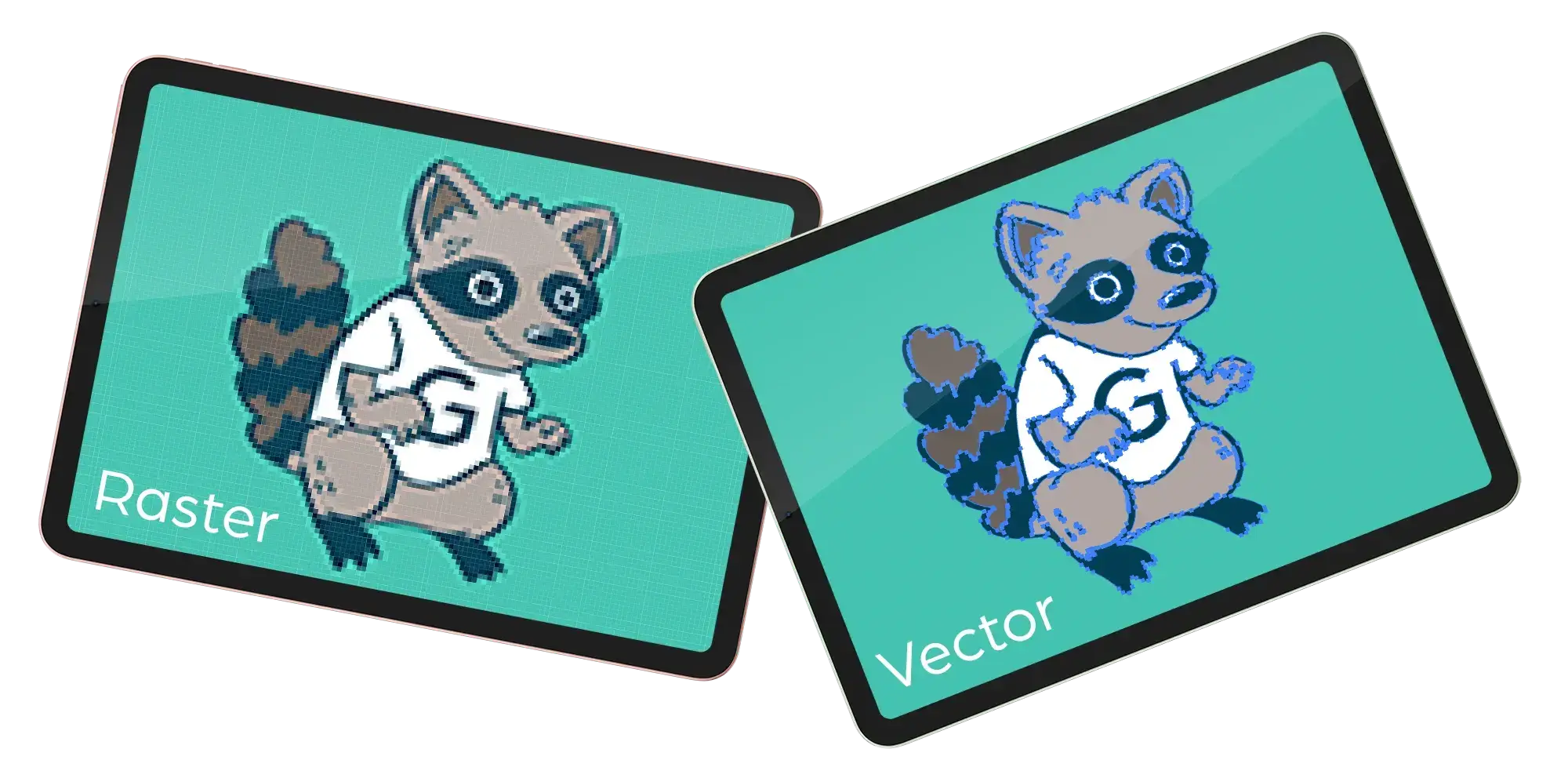
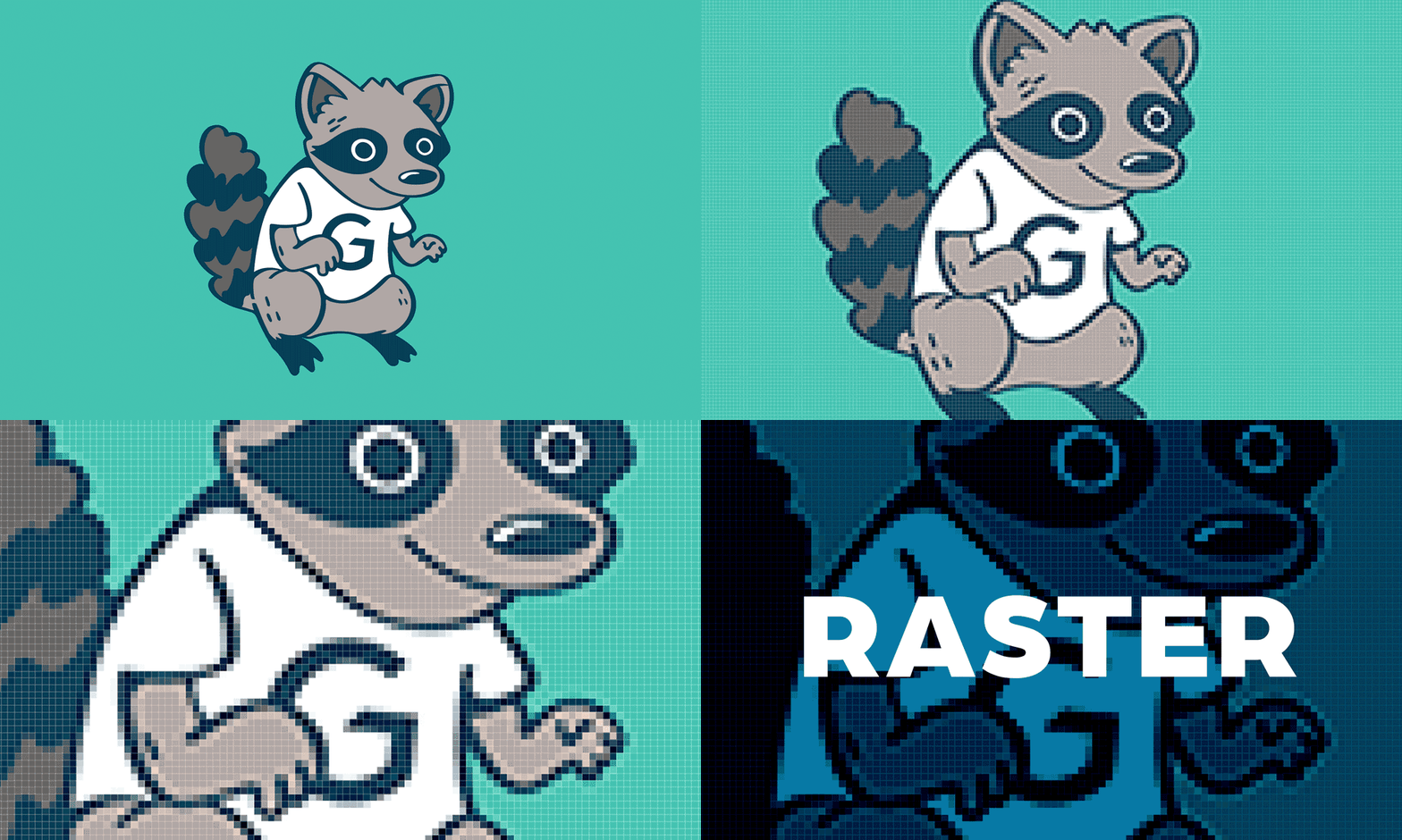
Raster art is built from pixels: tiny squares of colour that, together, form an image. It’s great for photographs, detailed illustrations, and anything with rich texture or shading. The catch? Pixels are fixed. When you scale up a raster image, you’re essentially stretching those pixels, which leads to the blurry, pixelated look you’ve probably seen on a sign or poster at some point. Raster file types include JPEG, PNG, and (sometimes) PDF.
Want to know if something is raster? Zoom way in. If you can see individual squares, it’s raster.

Vector art, on the other hand, is built from math. Every element of the design is made of shapes defined by mathematical equations, which means the image can be scaled to any size, from postage stamp to building wrap, without losing a single pixel of crispness. Logos, icons, and brand graphics are almost always best stored as vectors. Vector file types include AI, EPS, SVG, and (sometimes) PDF.
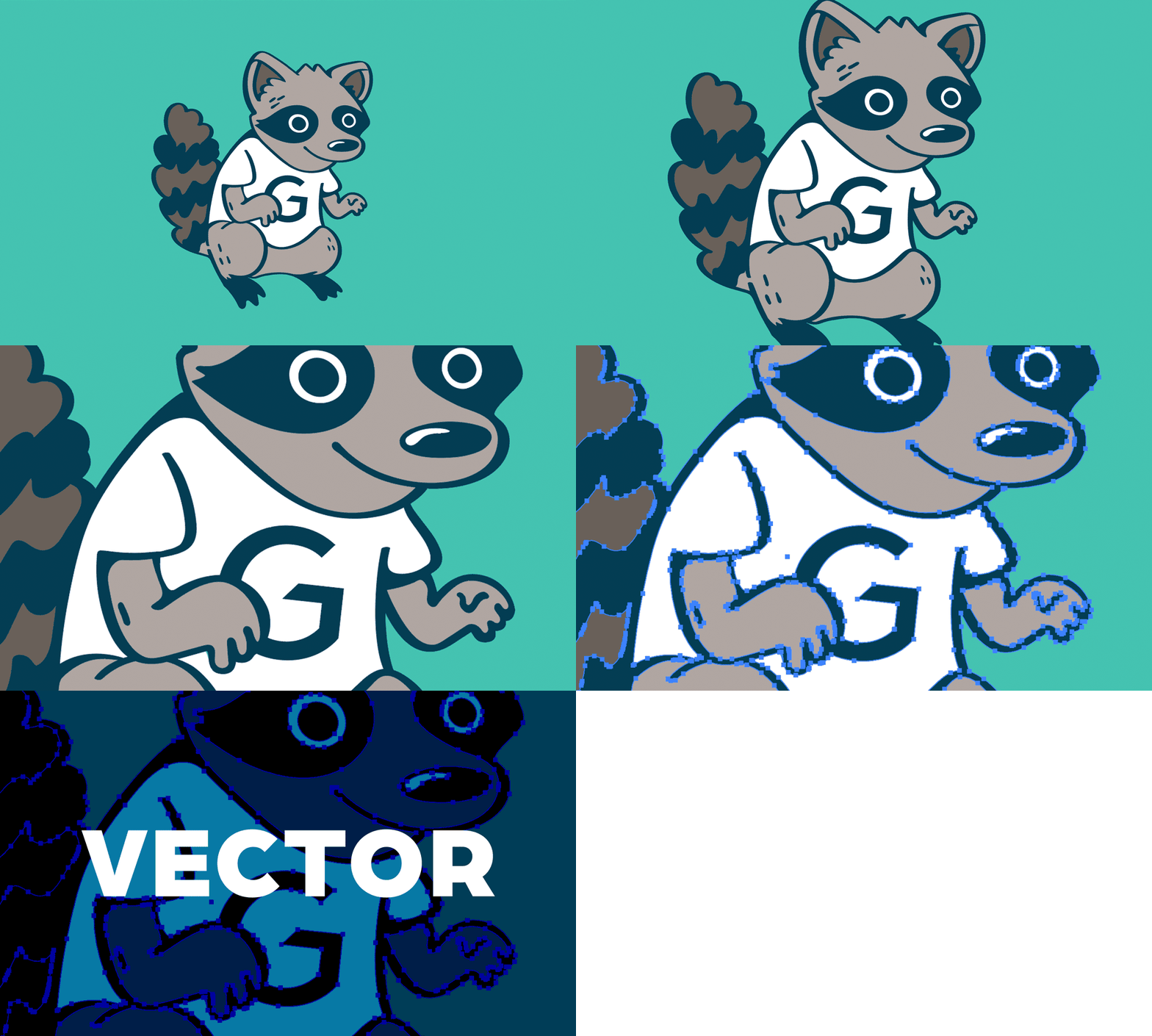
Yes. PDF is a container format, not a guarantee of quality. A PDF can hold a vector file or a raster image. The file extension alone doesn’t tell you what’s inside.
The same goes for AI, EPS, and SVG files. Saving a raster image as one of those file types doesn’t magically turn it into a vector. Unfortunately, you can’t convert raster to vector just by renaming the file. If you’re not sure whether your file is truly vectorized, just ask us. We can take a look and let you know what we’re working with.
Say you design a logo at sticker size, like a little 2″ PNG for a giveaway. Six months later, the same logo needs to go on a 2-foot trade show banner. That original PNG was built for 2 inches, not 2 feet. Scaling it up that much means stretching a small number of pixels across a much larger surface, and the result is going to look soft and unprofessional.
A vector version of that same logo? No problem. Scale it to 20 feet if you want. It’ll look exactly the same.
Each manufacturing process has its own requirements, and while some can work with raster files, vector is almost always preferred. Here’s a quick reference:
Screen Printing: Vector, or bitmapped
DTG (Direct to Garment): Vector or raster
DTF (Direct to Film): Vector or raster
Dye-Sublimated: Vector or raster
Heat Transfer: Vector only
Laser Engraving: Vector only
Embroidery: Vector only
*These are general recommendations which may vary depending on the vendor, colour, product specs, etc.
When in doubt, send us the vector. It gives our team and your vendors the most to work with. It means fewer back-and-forths before we get to production.
Have a file you’re not sure about? Send it our way. We’ll let you know exactly what we need.